Trouble Logging In
Login
Try This First:
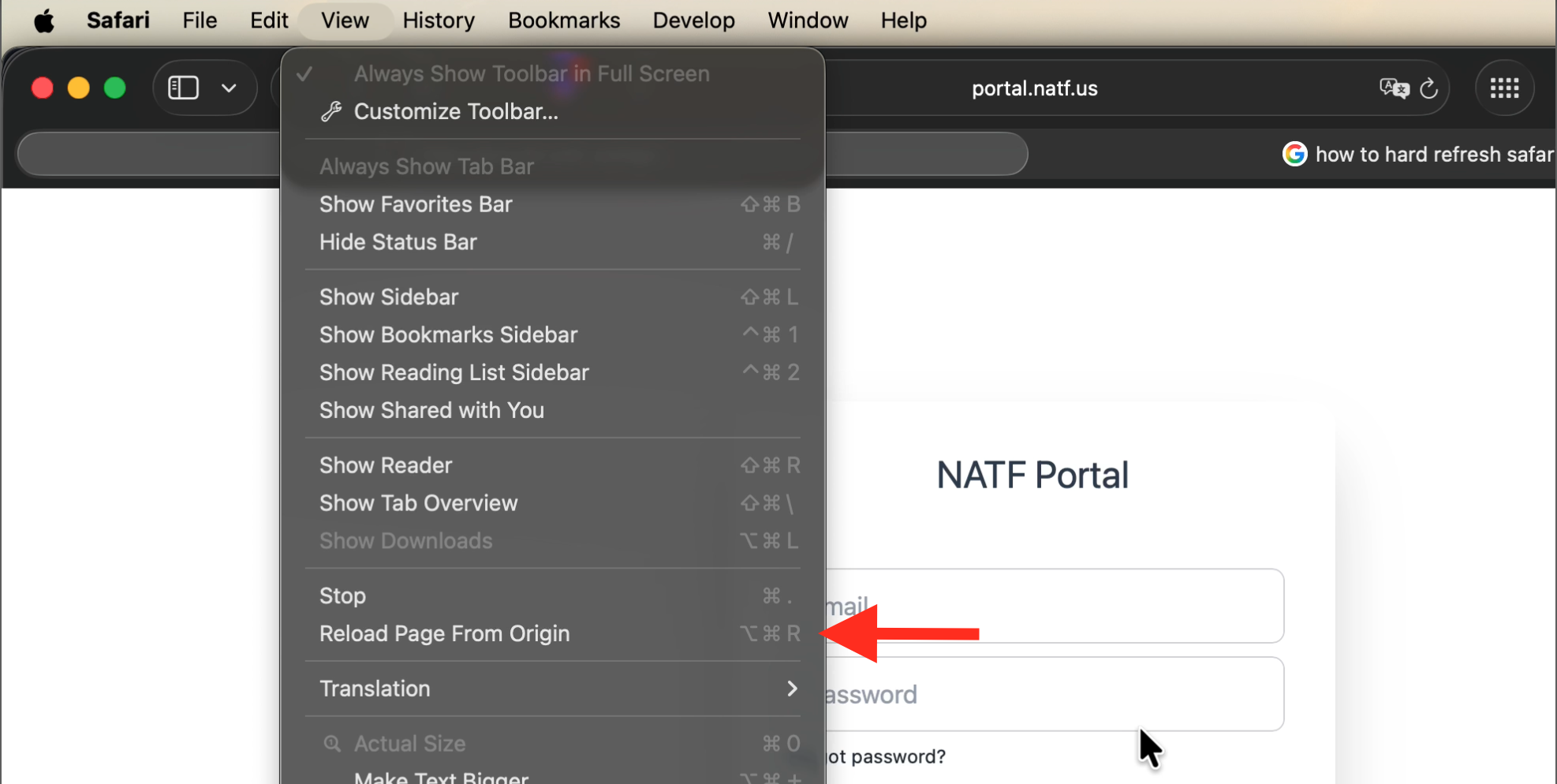
If that does not work please hard refresh your browser, which causes the browser to reload the page from the website without using any cache. You can do this by clicking on the menu item shown in the photos or by pressing the keyboard shortcut.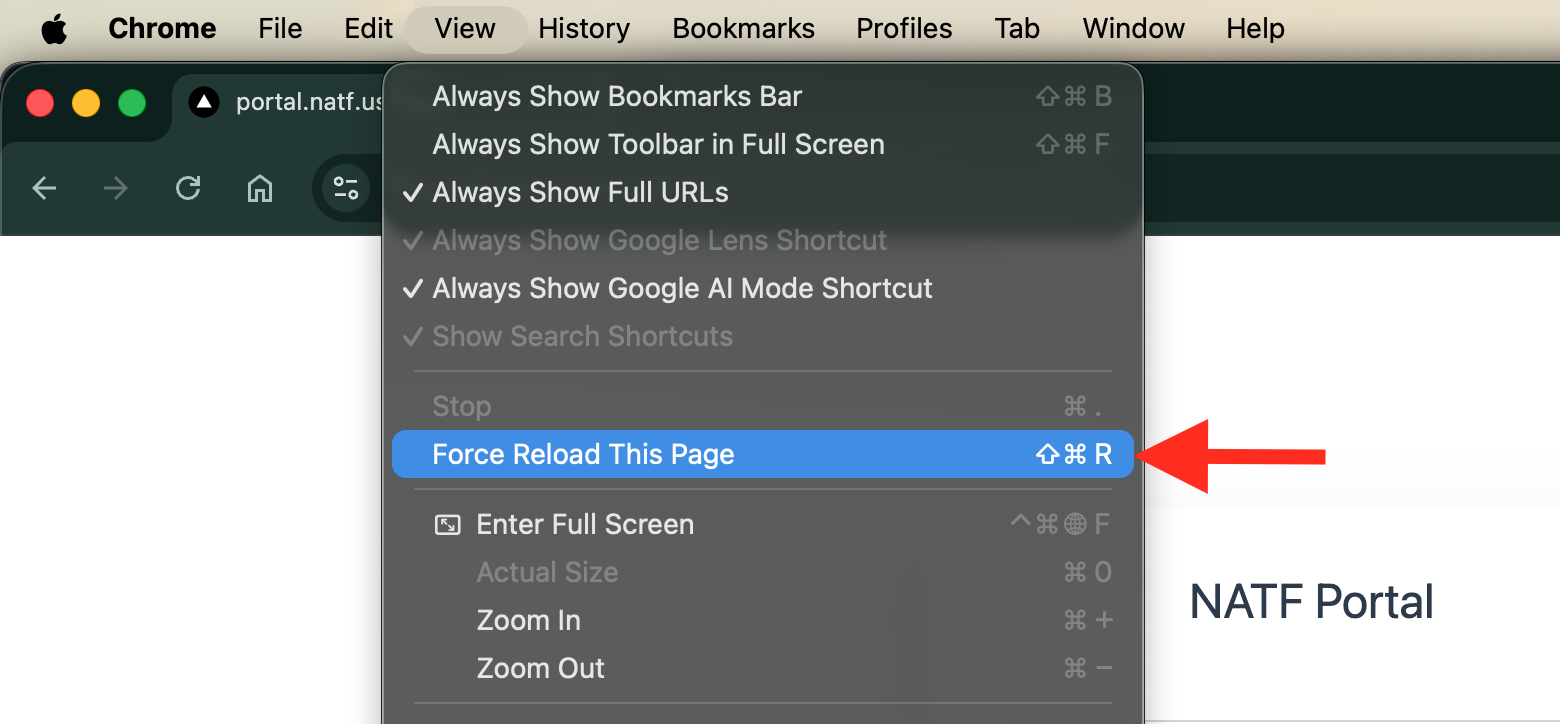
Chrome (Cmd+Shift+R)
Safari (Cmd+Opt+R)
On Windows press (Ctrl+F5)
If you still cannot login please contact NATF at: